To listen to music via the web player, Sonos, or the DMD2 Music app, here’s a quick guide on how to create a channel in just a few steps.
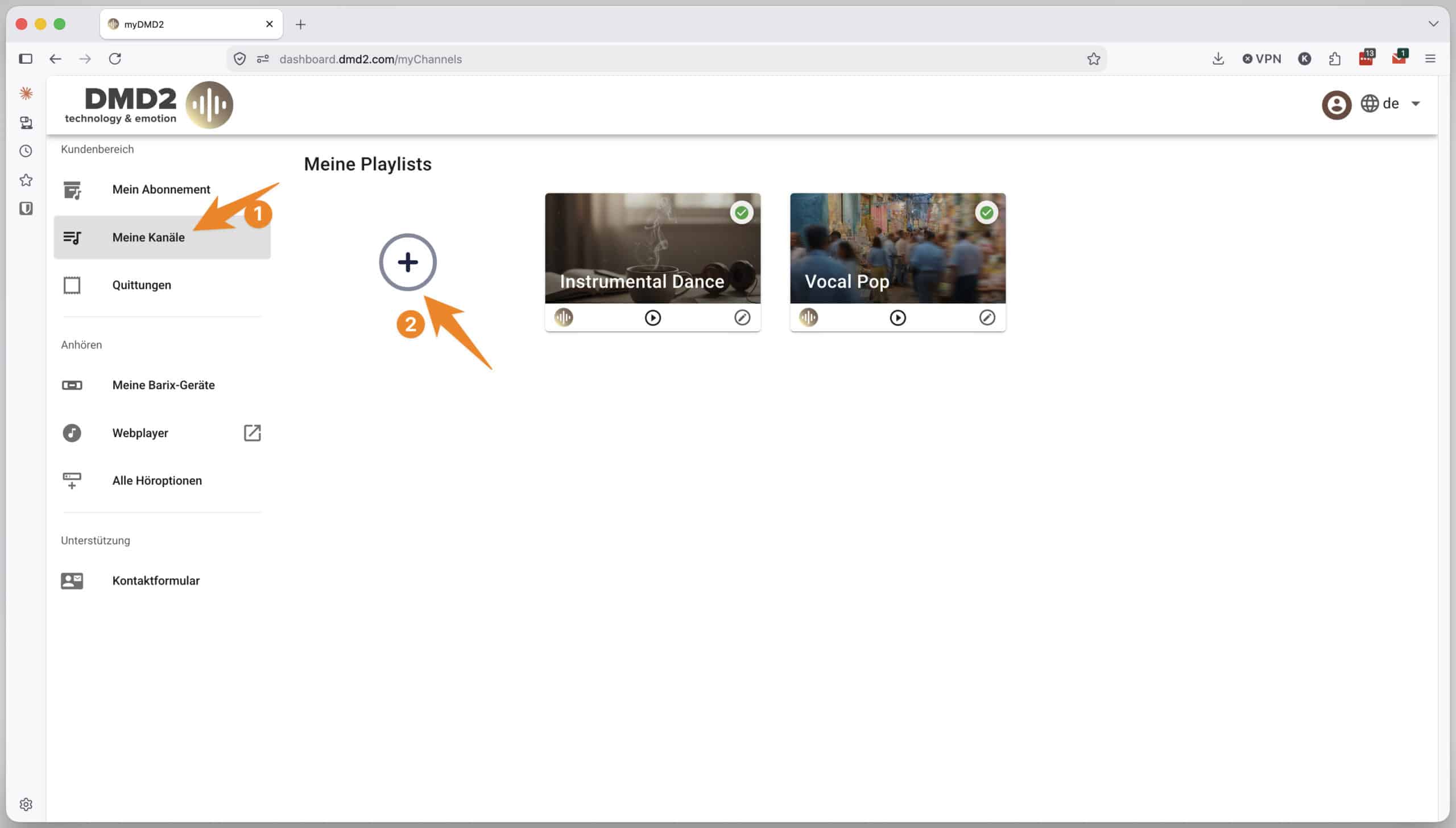
In your web browser, click on the left side of the customer portal.“My Channels”
Then click on the + to start creating a channel.
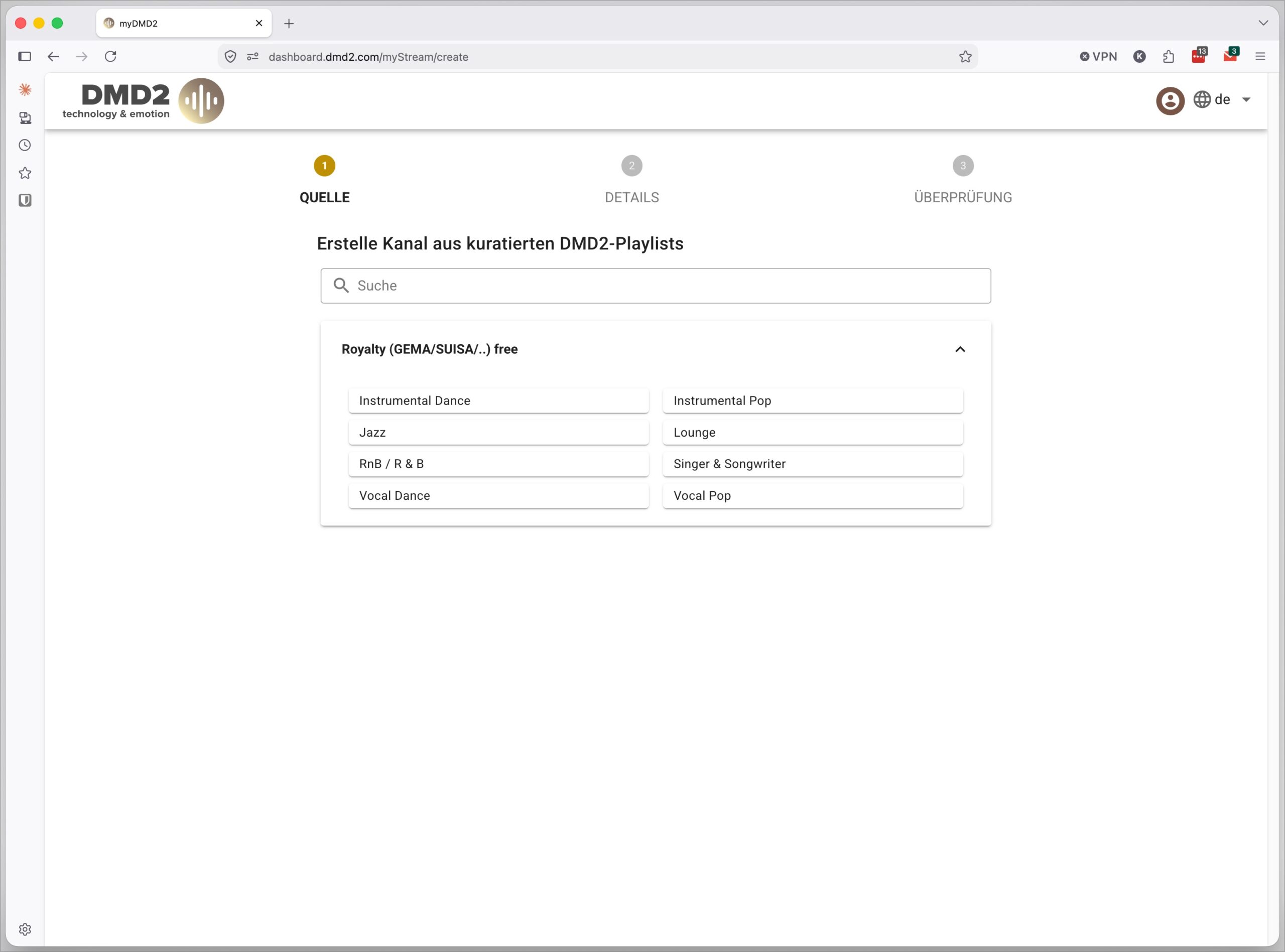
Please select your preferred music genre from the dropdown menu.
Here you’ll find a selection of curated playlists, covering a wide range of genres from pop to lounge to jazz.
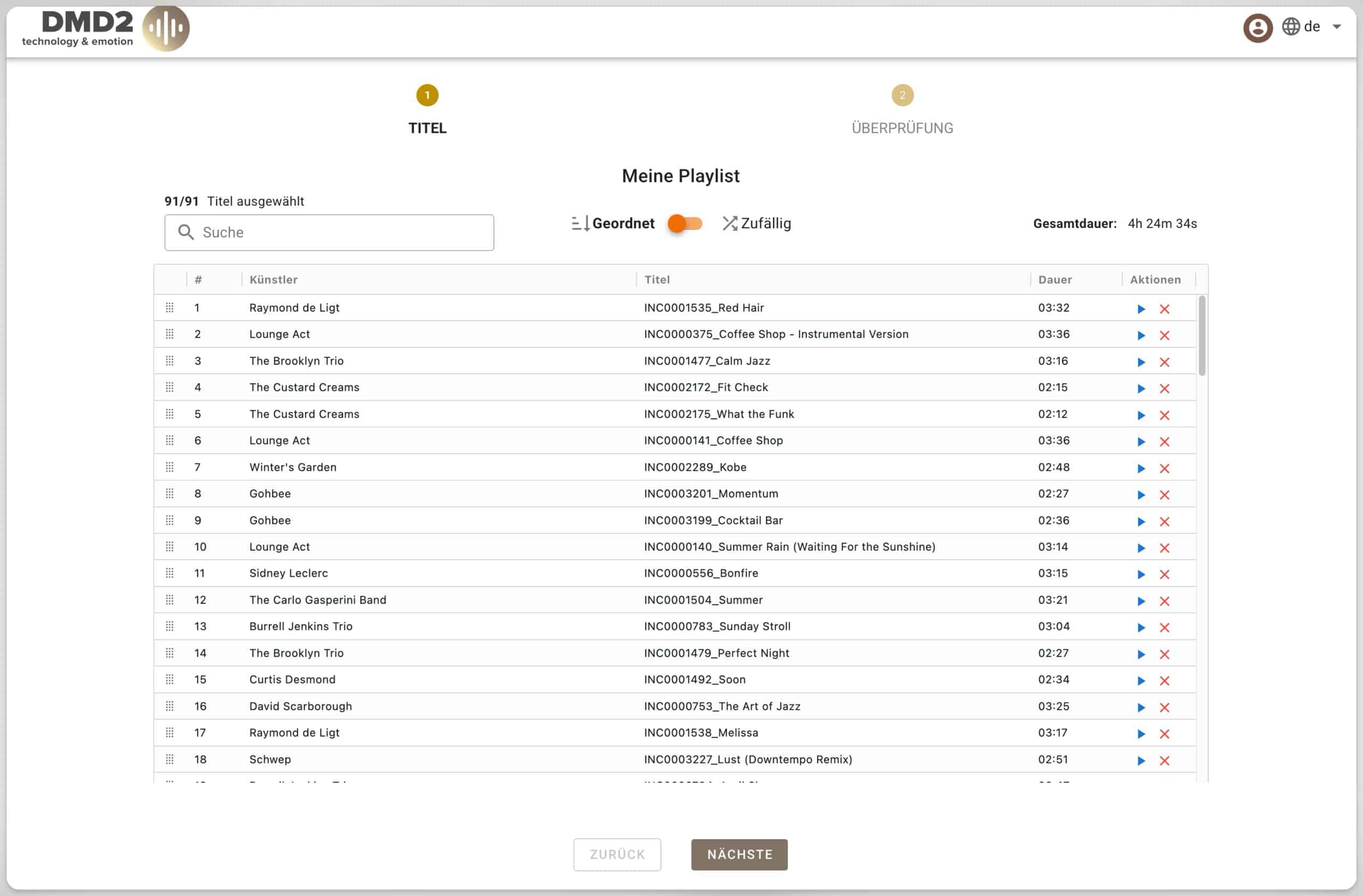
In the final step, you can preview the tracks for 30 seconds and adjust the order.
Then save the playlist to create your channel.
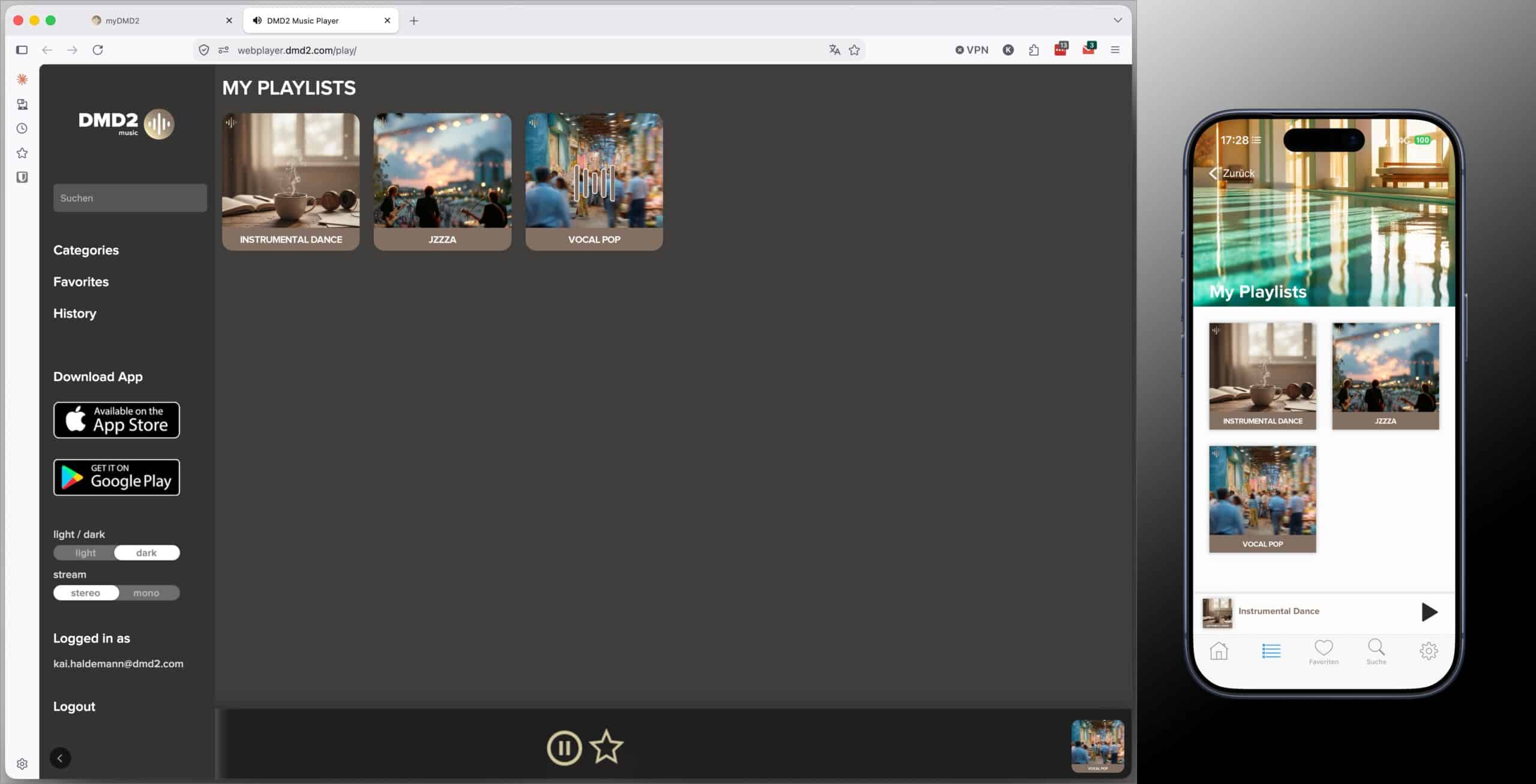
After a short wait of about 1–3 minutes, the finished stream will appear in the web player, the DMD2 mobile app, and on all other viewing platforms.
Customer areaFurther reception options Webplayer